
Navigate to https://www.tableau.com/academic/students
Click here

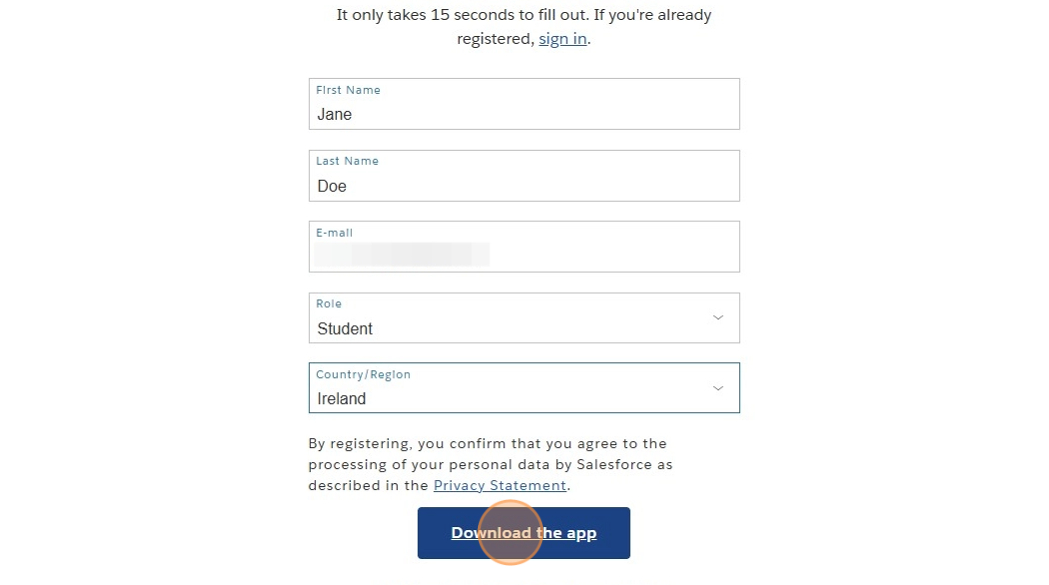
Type your First Name
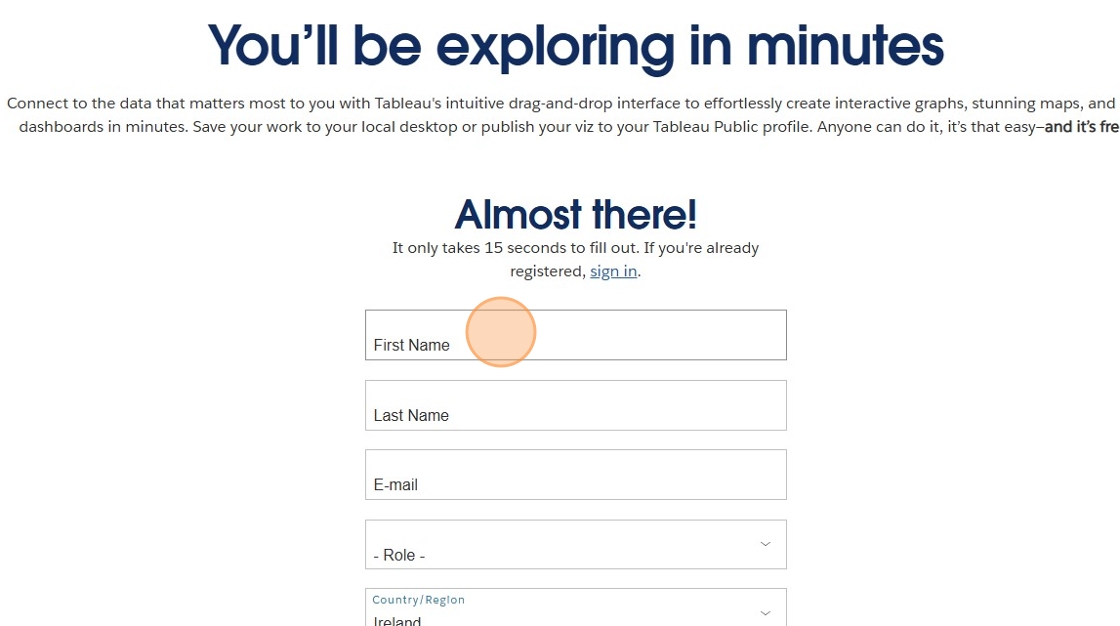
Type your Last Name

Type your Email Address

Click "Role"

Select "Student"

Click "Country/Region"

Select your country of residence
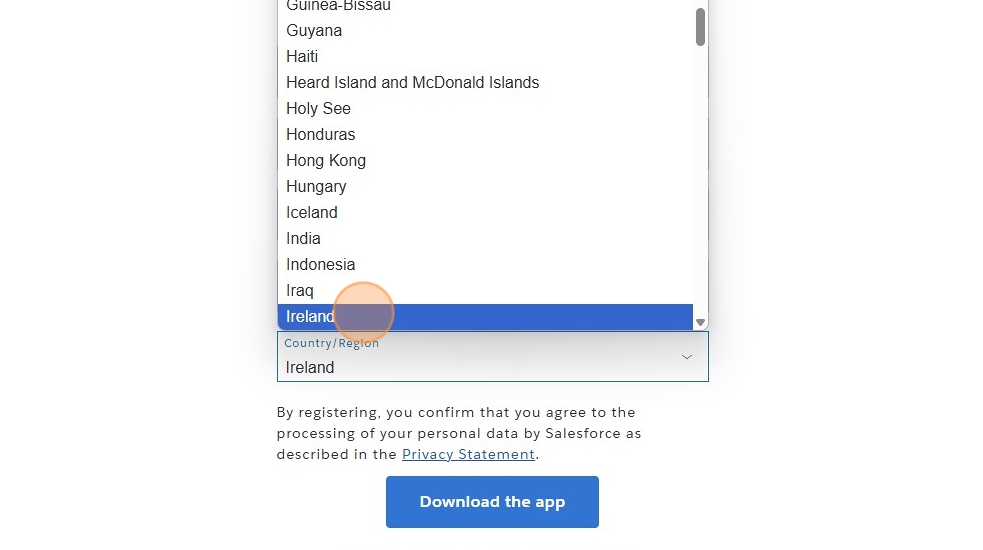
Click "Download the app"
If the installation does not automatically start, click "Windows"

While you are waiting for the download to finish you can check out Tableau's How-To videos on this page here underneath the video

Click on the installation once it has finished downloading

Accept the Terms and Conditions

Click "Install" and wait for the installation to finish

Tableau should automatically open and you are ready to go!
If it does not automatically open, press Windows key, type "Tableau" into the search bar and open it from there.
Happy Data Analysing :)
